How to import from Zotero, EndNote, or a RIS file
Import a Zotero collection with an API key, or upload a RIS file exported from EndNote, Mendeley, or Zotero into Study Screener.
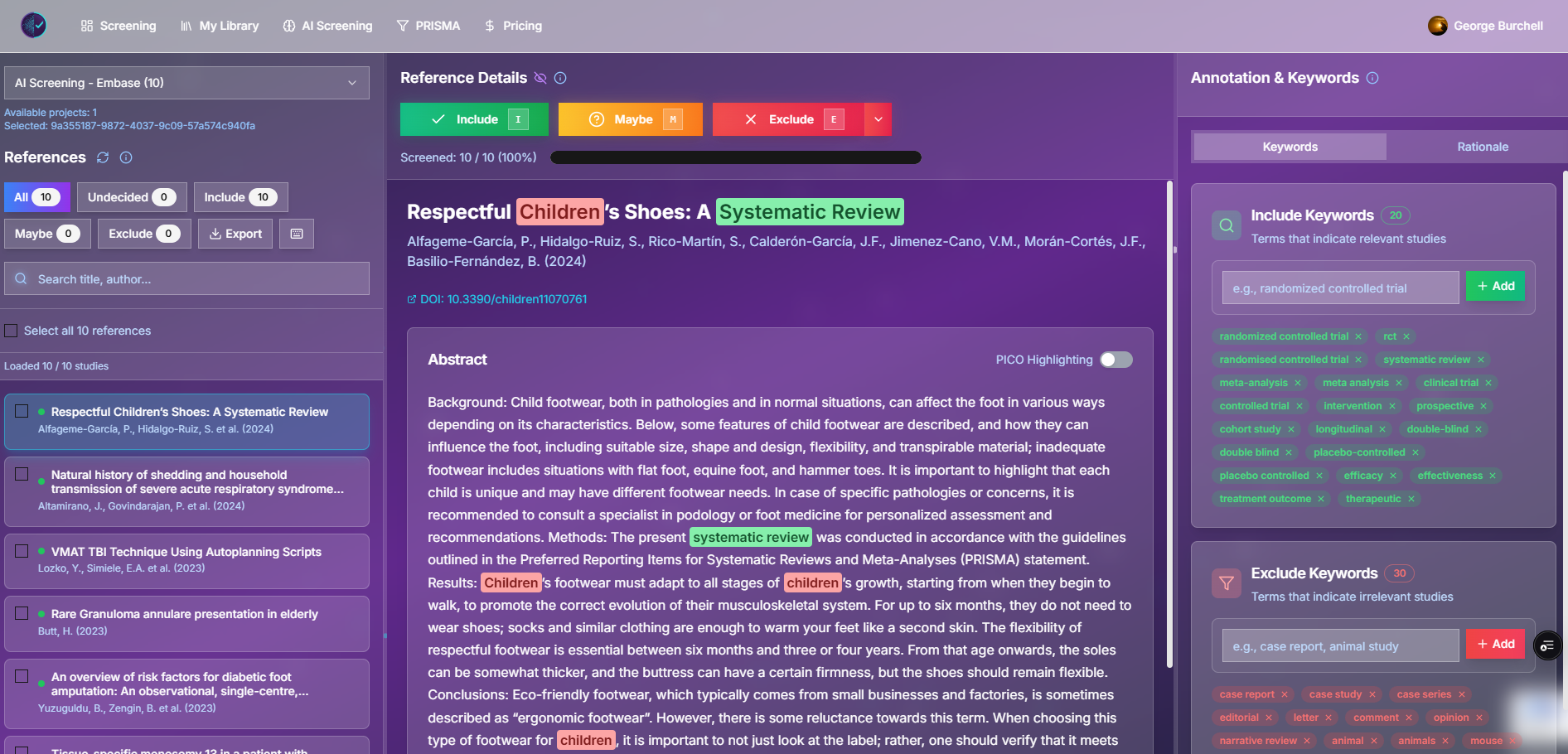
Study Screener screens titles and abstracts. It does not replace Zotero, EndNote, or Mendeley. You bring references in once, screen them, then export RIS or CSV when you are done.
There are two ways in:
- Zotero: paste an API key and import My Library or one collection.
- Everyone else: export a
.risfile and upload it. EndNote, Mendeley, and Zotero can all produce that file. PubMed MEDLINE.txtexports are accepted too.
Database export clicks for PubMed, Embase, and Web of Science are in the complete guide to RIS file screening. Setting up the screening project itself is in the beginner’s step-by-step guide.
Import a Zotero collection with an API key
Use this when the references already live in Zotero and you do not want to download a file.
- Sync the library to zotero.org. The import reads the online library, not an unsynced local copy.
- Create a dedicated key at Zotero’s new-key page. Allow library read access. If the collection is in a group, allow access to group libraries as well.
- In Study Screener, open manual screening or AI screening.
- In the left panel, click the red Z.
- Paste the key and choose List collections.
- Select My Library or one folder, then Review import and confirm.
What happens next:
- A new project is created and opened. From AI screening, it opens in AI screening so you can set criteria and run a job. From manual screening, it opens for manual review.
- Duplicate references are combined.
- The API key is used for that request and is not stored.
- PDFs, notes, and child items are not imported. Screening decisions are not written back to Zotero.
You can close the Z panel when you are finished. The same button is on the collapsed AI panel and on small screens.
Export RIS from Zotero instead
Use a file when you want a snapshot, or when you would rather not create an API key.
- In Zotero, right-click the collection (or the library).
- Choose Export Collection… (or Export Library…).
- Format: RIS.
- Save the
.risfile. - In Study Screener, start a new manual or AI project and upload that file.
Exporting the whole library includes items that are not in a folder. Exporting one collection does not include items that only sit in other collections.
Export RIS from EndNote
EndNote does not connect with an API key. Export RIS, then upload the file.
- Select the references you want to screen. Select all if the whole library should move.
- Choose File → Export.
- Set the output style to RIS Export (sometimes labeled RefMan RIS). If it is missing, choose Select Another Style… and search for RIS.
- Save the file with a
.risextension. - Upload it when you start a project in Study Screener.
To bring screened results back, export RIS from Study Screener and use File → Import in EndNote. Include, maybe, and exclude labels from Study Screener are not applied as EndNote groups automatically. Use the RIS or the decision-log CSV if you need those labels.
Export RIS from Mendeley
Mendeley does not connect with an API key. Export RIS from the desktop app, then upload the file. The Mendeley website cannot export a library.
- Open Mendeley Reference Manager on your computer.
- For the whole library, choose File → Export All. For one set of references, select them and choose Export.
- Format: RIS.
- Save the
.risfile. - Upload it when you start a project in Study Screener.
The file includes reference details Mendeley already has, such as title, authors, year, and abstract. It does not include PDFs. To bring screened results back, export RIS from Study Screener and import that file into Mendeley Reference Manager. Include, maybe, and exclude labels are not applied as Mendeley folders automatically.
The same upload accepts a PubMed .txt (MEDLINE) file. You can add more than one database export in the same upload. Matching DOI or normalized title and year are combined, and the richer record is kept.
What the import does not do
- It does not sync later edits. Add new references with another import or another RIS upload.
- It does not import PDFs for full-text review. Full text stays in your reference manager or in a tool such as Evidence Table Builder.
- It does not import prior include or exclude labels from Rayyan, Covidence, EndNote groups, or Zotero tags as screening decisions. See Study Screener vs Rayyan if you are moving a review that is already partly screened.
After the references are in
Check a few records before you start. Titles and abstracts should be present. If abstracts are empty, the export style or the database download omitted them. Re-export with abstracts included.
Then screen manually, or define criteria and run AI screening. When you finish, export included, maybe, or excluded studies as RIS and import that file back into Zotero, EndNote, or Mendeley.
Related reading
- Complete guide to RIS file screening — PubMed, Embase, and Web of Science downloads, then how screening uses those files.
- Paper screening tool: beginner’s step-by-step guide — first project, decisions, and exports.
- Study Screener vs Rayyan — what transfers when you leave another screening tool.
