What the Study Screener blog publishes
Editorial scope for this blog: reproducible screening workflows, honest notes on AI-assisted triage, tool comparisons grounded in product behavior, and links to step-by-step guides.
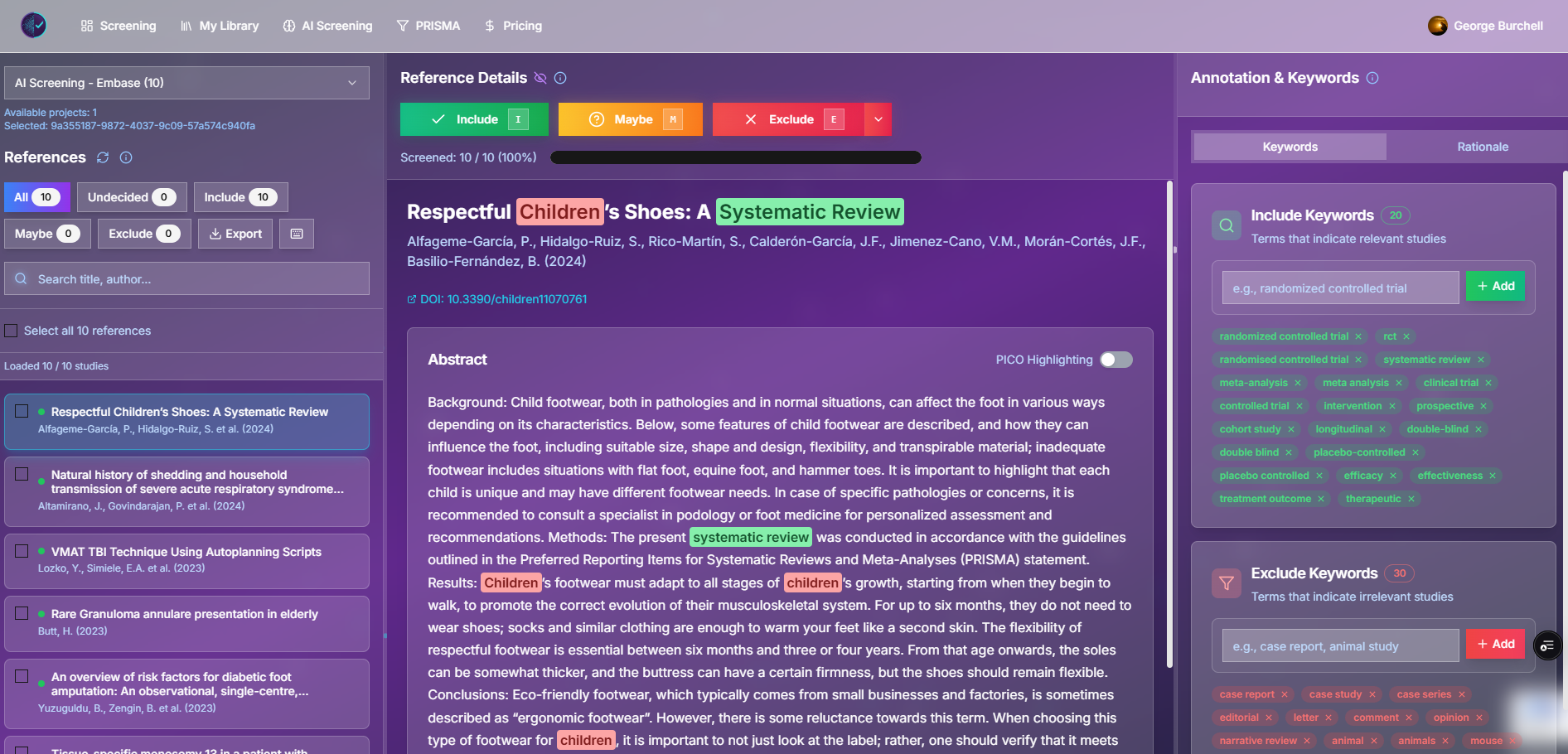
If you landed here from search, start with the guides below—they contain screenshots, worked examples, and citations.
Start here: substantive guides
| If you need… | Read |
|---|---|
| First project setup, keyboard shortcuts, PRISMA exports | Paper screening tool: beginner’s step-by-step guide |
| RIS upload and screening mechanics | Complete guide to RIS file screening |
| Import from Zotero, EndNote, or a RIS file | How to import from Zotero, EndNote, or a RIS file |
| Clear inclusion criteria before you screen thousands of rows | Why “just read the abstracts” fails |
| AI triage vs dual manual screening (with literature) | AI screening vs manual systematic review |
| Moving from Rayyan or comparing tools honestly | Study Screener vs Rayyan |
How this blog relates to the product
Study Screener ships two related but separate paths:
- Manual screening — shared project library, blinded reviewers, include / maybe / exclude, CSV and RIS exports (demo dashboard).
- AI-assisted screening — batch classification against your written criteria, confidence scores, optional PRISMA counts from job results (AI screening workspace).
Articles here are written by people building those flows. When something is unfinished (for example, no in-app deduplication on import), we say so—see the Rayyan comparison for a current limitations table.
Figure: Manual screening dashboard (demo data). Decisions are per reviewer; blinding hides teammates’ votes until your protocol allows unblinding.
Methods we anchor to
We routinely link to:
- PRISMA 2020 for reporting study selection.
- Cochrane Handbook, Chapter 4 for study selection and screening.
- Active-learning screening literature (e.g. ASReview, work saved over sampling) when discussing automation efficiency—with the caveat that not every “AI screening” product uses the same algorithm.
Corrections and guest material
Found a factual error or an outdated UI screenshot? Contact us with the post slug and we will update it.
We occasionally host short guest notes from librarians or methodologists; those posts are labeled in the byline. Everything else is in-house editorial unless stated otherwise.
Try the workflows (optional)
- Demo dashboard — manual screening with sample records, no account required for exploration.
- Create a screening project — import a deduplicated RIS file and run your protocol.
- PRISMA 2020 diagram builder — enter stage counts manually when you are not using AI job exports.
Last updated: May 2026. For search indexing, this page stays at /blog/welcome-to-our-blog; the homepage highlights newer guides instead of this index.
